Your AI assistant, on every page
Stuck on anything?
Solved.
Select or snap anything on your screen and Solvecoon answers it, explains it, summarizes it, or translates it — a homework question, a dense article, an email, a line of code — without leaving the page.

One selection. A lot you can do.
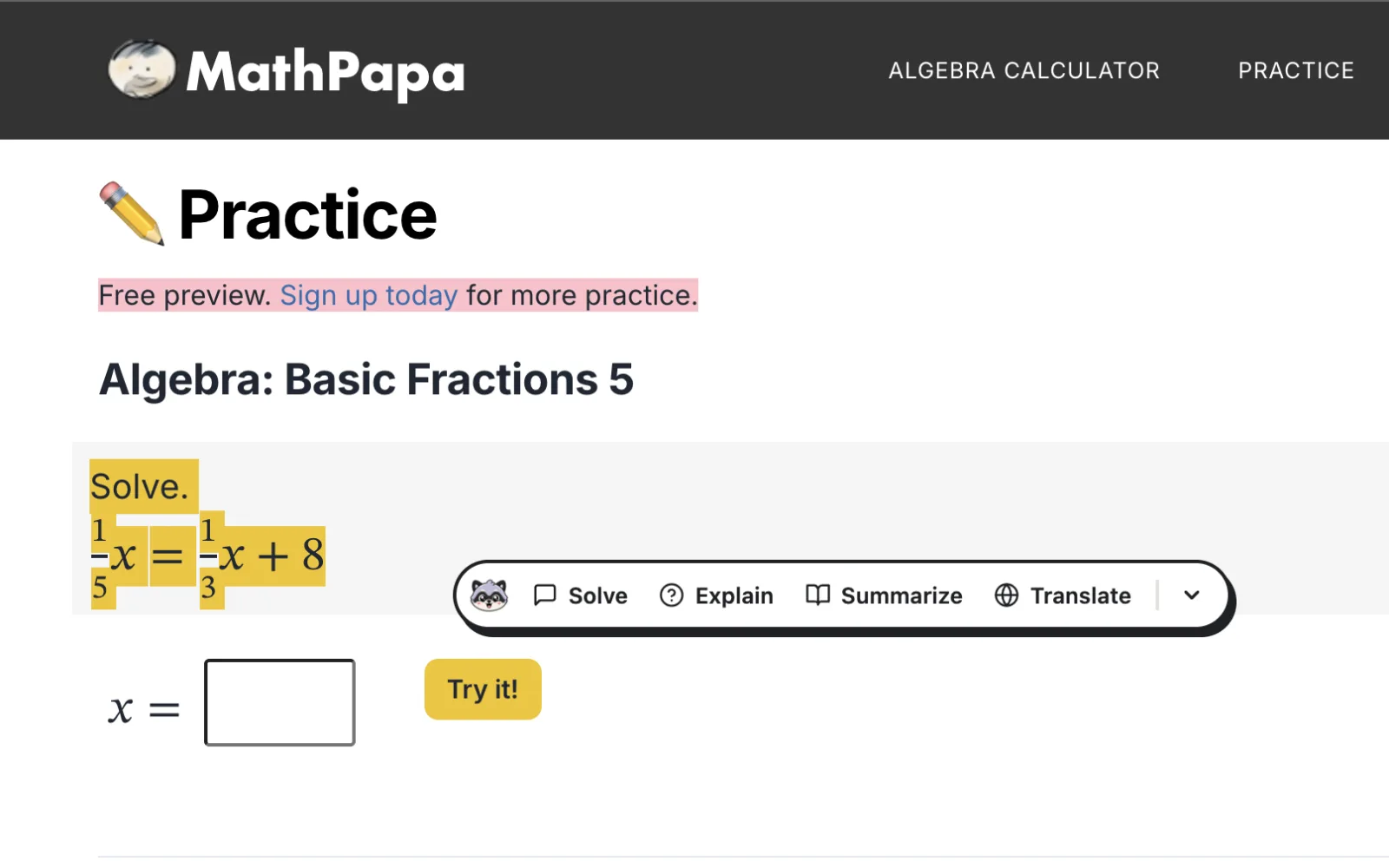
Highlight anything on a page and the raccoon appears right next to it, ready to help.
Why does raising interest rates bring inflation back down?
Here's the answer: borrowing gets expensive, so people and companies spend less, and prices stop climbing. Steps below…
How it works
Select or snap
Highlight text on any page, or press Cmd/Ctrl + Shift + S and drag over anything on your screen — a diagram, a PDF, a photo.
Choose what you need
Answer it, explain it, summarize it, translate it, or ask Solvecoon anything about it.
Keep going
Get the answer right beside your work, with the reasoning laid out — no switching tabs, no copy-pasting.
Right there on the page
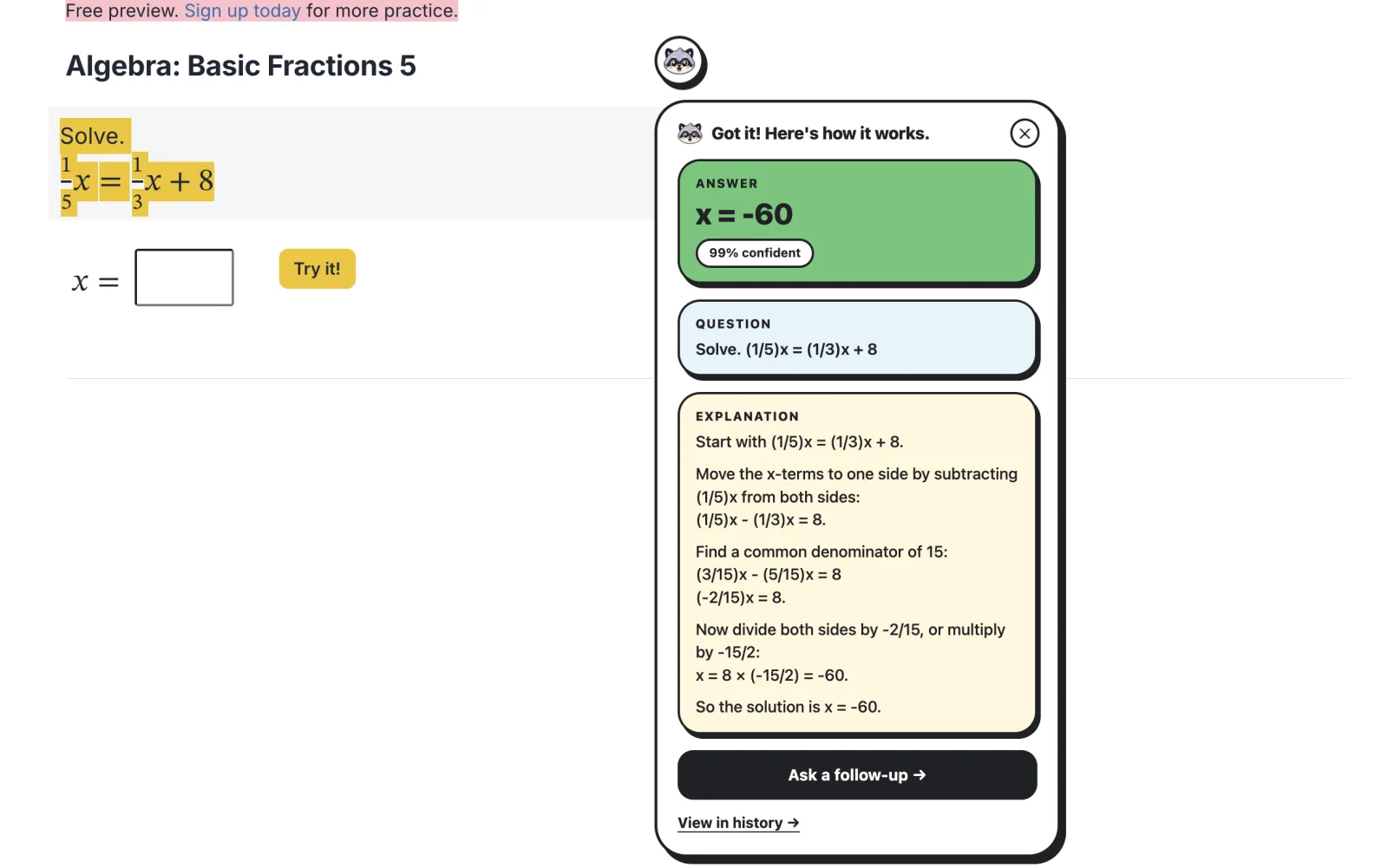
Select text and the answer appears beside it. Snap anything else and it streams into the side panel. Either way — no copy-pasting, no switching tabs.
Got a tricky one? I'll take a look.
Don't just get the answer. Understand it.
Shows its work
See the reasoning behind every answer, not just the result.
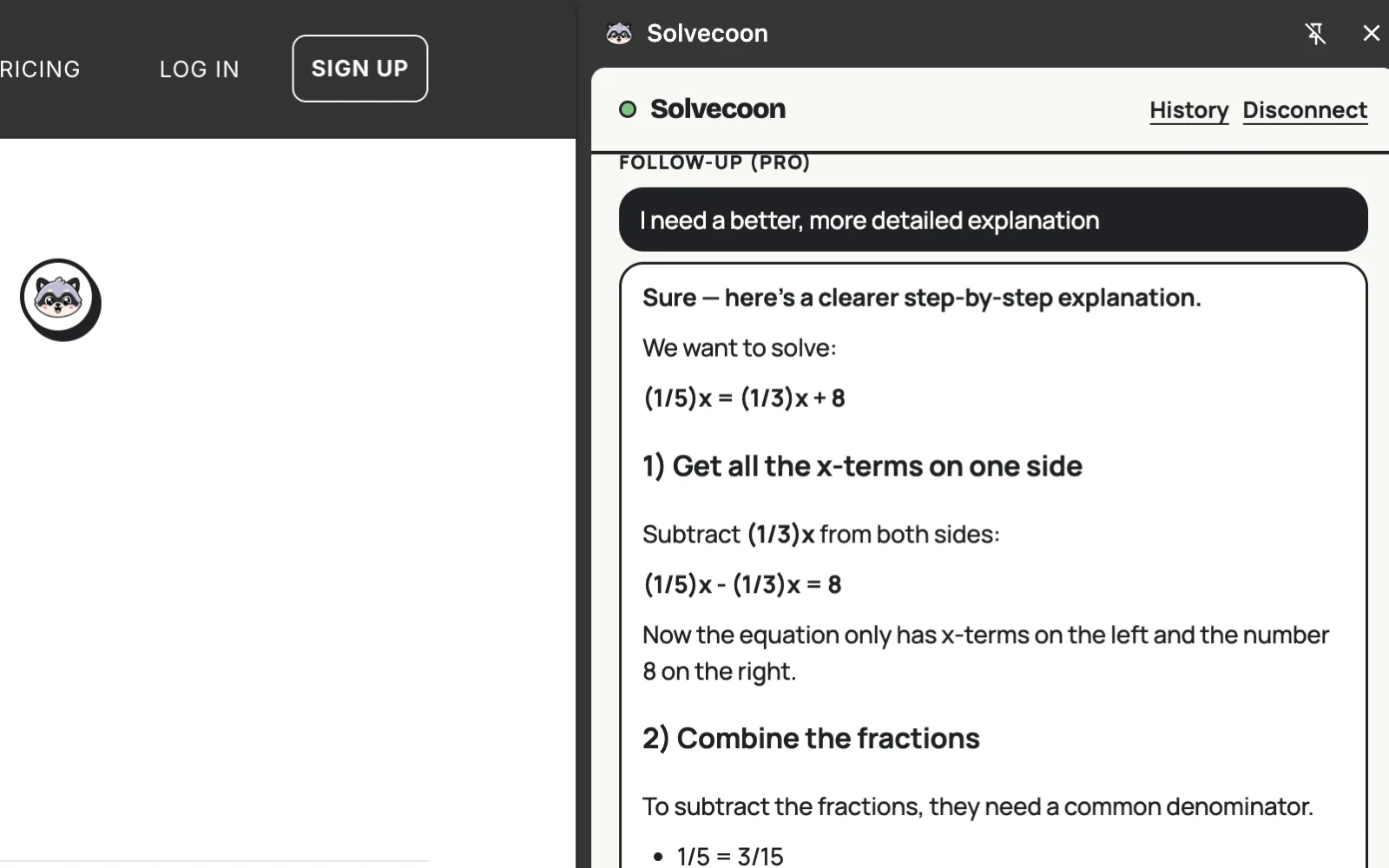
Ask anything
ProSomething still unclear? Ask Solvecoon to explain it differently, break it down, or give you an example.
Never lose an answer
Everything you ask is saved automatically, ready in the extension or your dashboard.
One Solvecoon. Every tab.
It recognizes what you're looking at and adapts its answer.
Homework
Math, science, coding — with the steps.
Articles
Summarize a long read before you commit to it.
Email & writing
Draft a reply, fix the grammar, change the tone.
Forms & fine print
Ask what a clause actually means.
Languages
Translate any page, either direction.
Anything else
If it is on your screen, you can ask about it.
Select it. Snap it. Solved.
5 free
solves every day
1 shortcut
to snap anything on screen
Your selection only
never the entire screen
Stuck on something?
Select it or snap it — Solvecoon understands it.
Add to Chrome →Free to try — 5 solves every day. No credit card.